Turn an accounting export into customer-ready documents with totals and line items in place.
Your spreadsheet in. Finished PDFs out.
Import the PDF you already send customers, connect Excel, CSV or JSON, and generate a correctly formatted PDF for every record — without rebuilding your design in another tool. No code, no watermark and no repetitive copy-pasting.
Stop rebuilding the same document by hand.
If your team keeps filling the same invoices, contracts, certificates or reports one at a time, Doklavio turns that repeated work into one reusable template.
Fill the same approved document with the correct details for every person or company.
Create a personalized certificate for everyone in a course, event or training record.
Produce consistent client documents from current spreadsheet or system data.
Keep the document you already use.
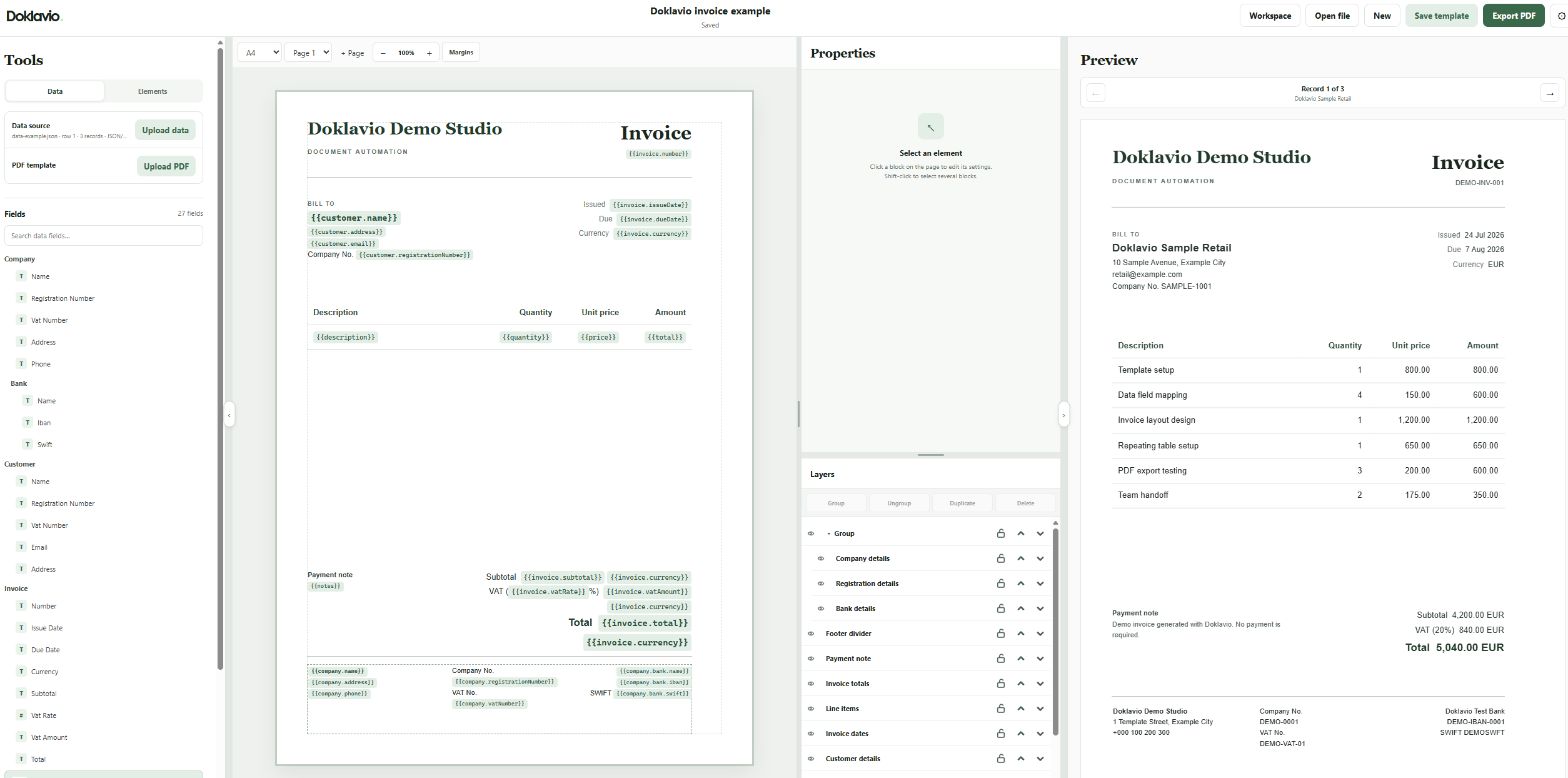
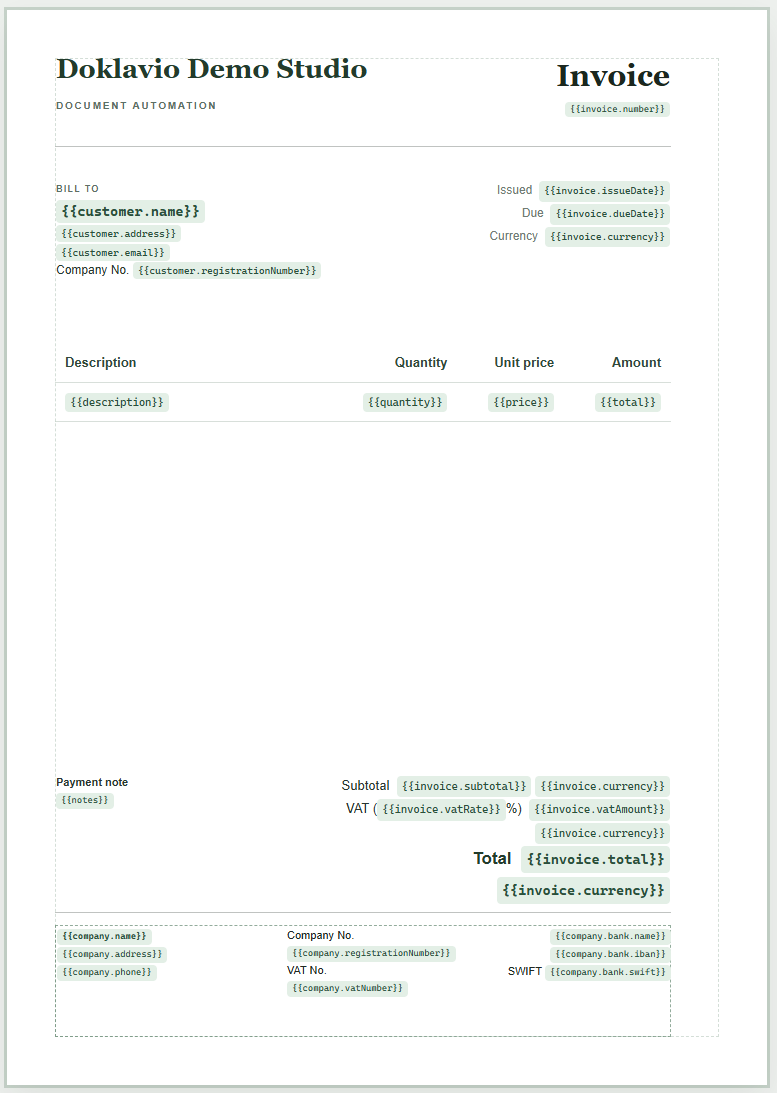
Upload an existing PDF or begin with a blank page. Add text, images and shapes, then drag your data fields into the exact positions where they belong.
- Bring both filesAdd your PDF and attach the Excel, CSV or JSON file containing the changing data.
- Place the fieldsDrag names, dates, totals and repeating line items directly onto the page.
- Preview real recordsMove through the imported records and fix the layout once before generating the batch.
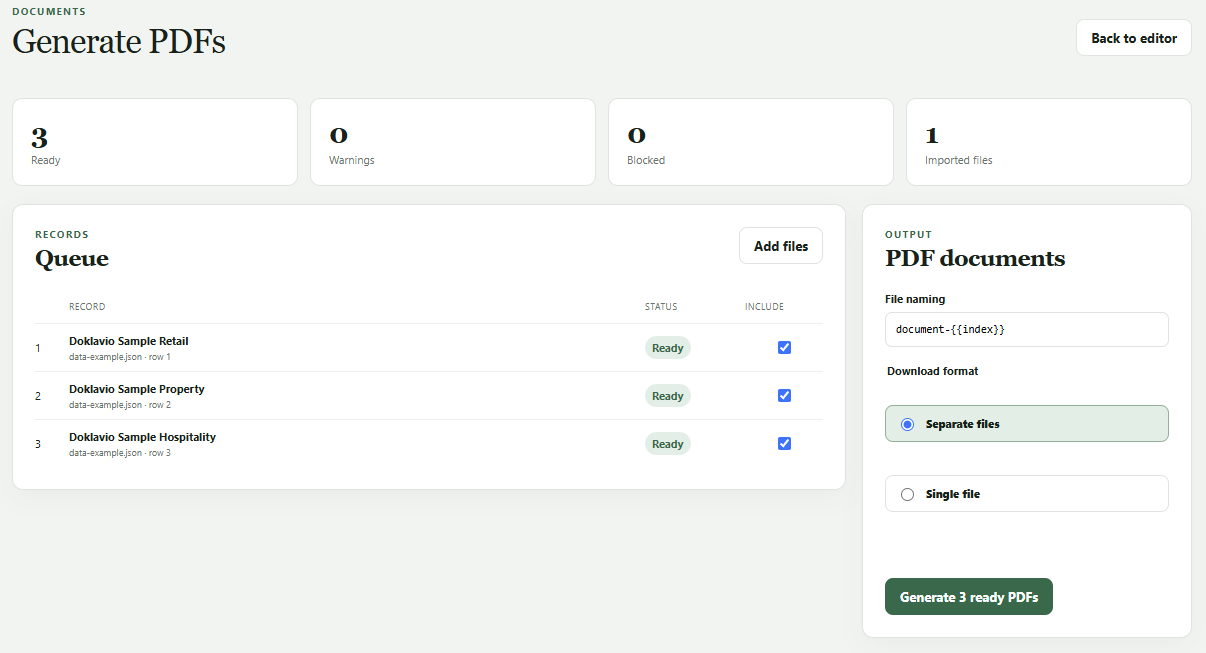
Three records or three hundred. The work is the same.
Select the records you need, choose the file names, then download individual PDFs in a ZIP or combine the complete batch into one file.
Fix the layout once, not every document.
Preview the template using actual imported records before exporting. Long names, missing values and changing table lengths are visible while you can still correct them.
Invoice items and other lists create the right number of rows for each record.
Names, dates, totals and addresses are placed without retyping them.
Change the shared template once and use the corrected version for the next batch.
Automate sensitive documents without building a customer-data warehouse.
Payroll, HR letters, invoices and certificates all carry data you'd rather not store longer than necessary. Doklavio is built so it doesn't have to.
Excel, CSV and JSON records you import while designing never leave your browser and are never saved with the template.
Synchronous records are processed in memory. Async job input is held privately only while queued or processing. Generated files and abandoned jobs expire within 24 hours.
Download a template as an encrypted local file instead of storing it in your cloud workspace, and open it again only when you need it.
Use the editor yourself, or connect Doklavio to your software.
Keep reusable templates available to your team
Save and sync the documents you generate regularly, then open the same template when the next batch arrives.
Keep a template on your own machine
Download the encrypted template and import it back into Doklavio when you need it, without storing it in your cloud workspace.
Generate documents without opening the editor
Team and Business plans can use synchronous requests for quick PDFs or queued jobs that return one combined PDF or a ZIP of separate files, with polling and signed webhooks.
Read the API documentationDoklavio does not use document content to train AI models.
See exactly what is and isn't stored, for how long, and where.
Data and securityStart small. Grow when you need to.
Free
$0
No card required- 10 documents per month
- 1 private template
- Generate up to 5 documents in one batch
- 250 MB storage
Individual
$15per month
Billed monthly- 300 documents per month
- 10 private templates
- Generate up to 100 documents in one batch
- 2 GB storage
Team
$49per month
Billed monthly- 3,000 generated documents per month
- Generate up to 1,000 documents in one batch
- 1,000 API-generated documents included
- 25 records synchronously · 500 per async job
- Signed webhooks and status polling
- 50 private templates
- 5 users
- 20 GB storage
Business
$199per month
Billed monthly- 15,000 generated documents per month
- Generate up to 10,000 documents in one batch
- 5,000 API-generated documents included
- 100 records synchronously · 500 per async job
- 2 concurrent renders · signed webhooks
- 250 private templates
- 15 users
- 100 GB storage
Need more than 15,000 documents?
Tell us what you create and how often. API overage beyond your plan's automatic cap is also available on request.
Questions you might have before getting started.
For API, security and integration details, see the full documentation.
What data can I use?
You can import Excel, CSV or JSON data. Each row or record can become its own finished document.
Can I edit a PDF I already use?
Yes. Import your PDF and turn it into an editable template. You can keep the existing design, change its content and connect the parts that should use your data.
Can I create a separate file for every record?
Yes. You can download separate PDFs in a ZIP, or combine the whole batch into one PDF. File names can include information from your data.
Can invoice tables have a different number of rows?
Yes. Connect a table row to your list of items and Doklavio will add the right number of rows for each invoice, report or document.
Where are my templates stored?
You can save templates in your private workspace or download them as local files. Local template files are encrypted and can be opened in Doklavio when you need them again.
What happens if I reach my monthly limit?
We pause further generation until your allowance resets or you choose another plan. There are no surprise charges. On Team/Business, you can buy a one-time document pack from your workspace account panel to top up instantly, or turn on automatic overage billing for the REST API — once enabled, extra API documents bill at $0.02 each, up to a fixed monthly cap; without either, the API just pauses like everything else. See the API documentation for details.
Build the template once. Generate the rest.
Try the sample invoice demo immediately, or create a free workspace for your own templates.